

Why Selenium Tests Pass Locally but Fail in CI.

AgileVerify
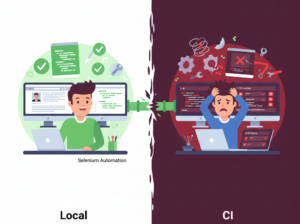
Almost every team using Selenium has lived through this moment. Tests run perfectly on a local machine, again and again, without a single failure. The same tests then fail in the CI pipeline without any code changes. Confusion turns into frustration, and frustration slowly turns into distrust.
Someone eventually says, “Let us just rerun it.”
That sentence alone explains why flaky automation survives for so long.
One of the most common reasons for this behavior is environmental difference. Local machines and CI servers rarely mirror each other. They run on different operating systems, different browser versions, and very different resource setups. A test that feels rock solid on a Windows laptop can behave very differently on a Linux based CI runner.
Operating system variation plays a bigger role than most teams expect. The same Selenium script can behave differently on Windows, Mac, and Linux. File paths, window focus, font rendering, and browser internals all vary. These differences may seem minor, but under automation they directly impact timing, visibility, and interaction.
Keyboard behavior is another silent troublemaker. Shortcuts that rely on the Control key on Windows or Linux often require the Command key on Mac. Tests that simulate keyboard actions without accounting for this difference may pass locally and fail elsewhere with no obvious error. CI environments expose this quickly because they usually run on Linux, while many local machines run on Windows or Mac.
As one frustrated tester once put it,
“The test did exactly what I told it to do, just not what I meant.”
Clipboard behavior, focus handling, and tab switching also vary by operating system and browser combination. Actions like copying text or switching input focus can behave differently depending on the environment. If tests rely on these interactions implicitly rather than explicitly, they become fragile the moment they leave a local machine.
Execution speed is another factor that surprises teams. CI environments, especially Linux based runners, are often faster and more efficient than local machines. Pages load quicker, scripts execute sooner, and elements appear and disappear faster. Tests that rely on fixed waits or assumed delays often break because the application moves faster than the test expects.
This is where synchronization issues show their true face. Hard coded sleep statements pass locally because slower machines accidentally hide timing problems. In faster CI environments, those same assumptions collapse. Waiting for real conditions like visibility, readiness, or state changes instead of elapsed time is not an optimization. It is a requirement for reliable automation.
Browser and driver mismatches add another layer of instability. Local setups are often managed manually, while CI environments may update browsers or drivers automatically. Even small version differences can change scrolling behavior or element interaction. Without alignment, teams end up debugging failures that have nothing to do with the application itself.
Headless execution also changes behavior. CI pipelines usually run browsers in headless mode for efficiency. Headless browsers handle layout and visibility differently than full browsers. Tests that assume screen size or visual placement without explicitly defining them often fail only in CI, which makes the problem harder to diagnose.
At this point, the question shifts from “Why does this fail” to “What do we do about it.”
How to Make Selenium Tests More Reliable Across CI and OS?
Reliable Selenium tests are intentional about variability. A few practical steps make a real difference:
• Handle platform specific behavior explicitly. Detect the operating system at runtime and adjust keyboard actions accordingly, such as using Control on Windows and Linux and Command on Mac.
• Avoid fixed waits. Replace sleep based logic with condition based waits that reflect actual application state.
• Make WebDriver management robust. Use tools or logic that automatically resolve the correct and latest compatible WebDriver during execution rather than relying on manually installed versions.
• Standardize browser configuration. Define browser options, window sizes, and execution modes explicitly so local and CI runs behave consistently.
• Treat CI as the source of truth. If a test fails in CI, assume the test has a weakness rather than assuming CI is wrong.
The fix is not to slow down CI or add retries until the pipeline turns green. That only hides the problem. Reliable Selenium tests are designed to survive faster execution, clean environments, and operating system differences.
When Selenium tests pass locally but fail in CI, Selenium is rarely the real issue. CI simply reveals assumptions that local environments quietly hide. Tests that survive Linux based execution, OS differences, and clean pipelines are the ones teams can truly trust.
Or as another tester put it perfectly, “If your test only works on your machine, it does not really work.”